Personal AI that lives in your pocket.
Not on a Mac mini at home.
MobileClaw is the phone-native version of the OpenClaw idea: no hardware to buy, no place to host it, no remote-desktop ritual. It is always with you, works through push, voice, camera, and gives each job its own session instead of stuffing your life into one long Telegram thread.
This section previously showed an invented session mock and an unverified dashboard card. It now uses concrete OpenClaw captures only, so the page reflects the product surface that exists today.
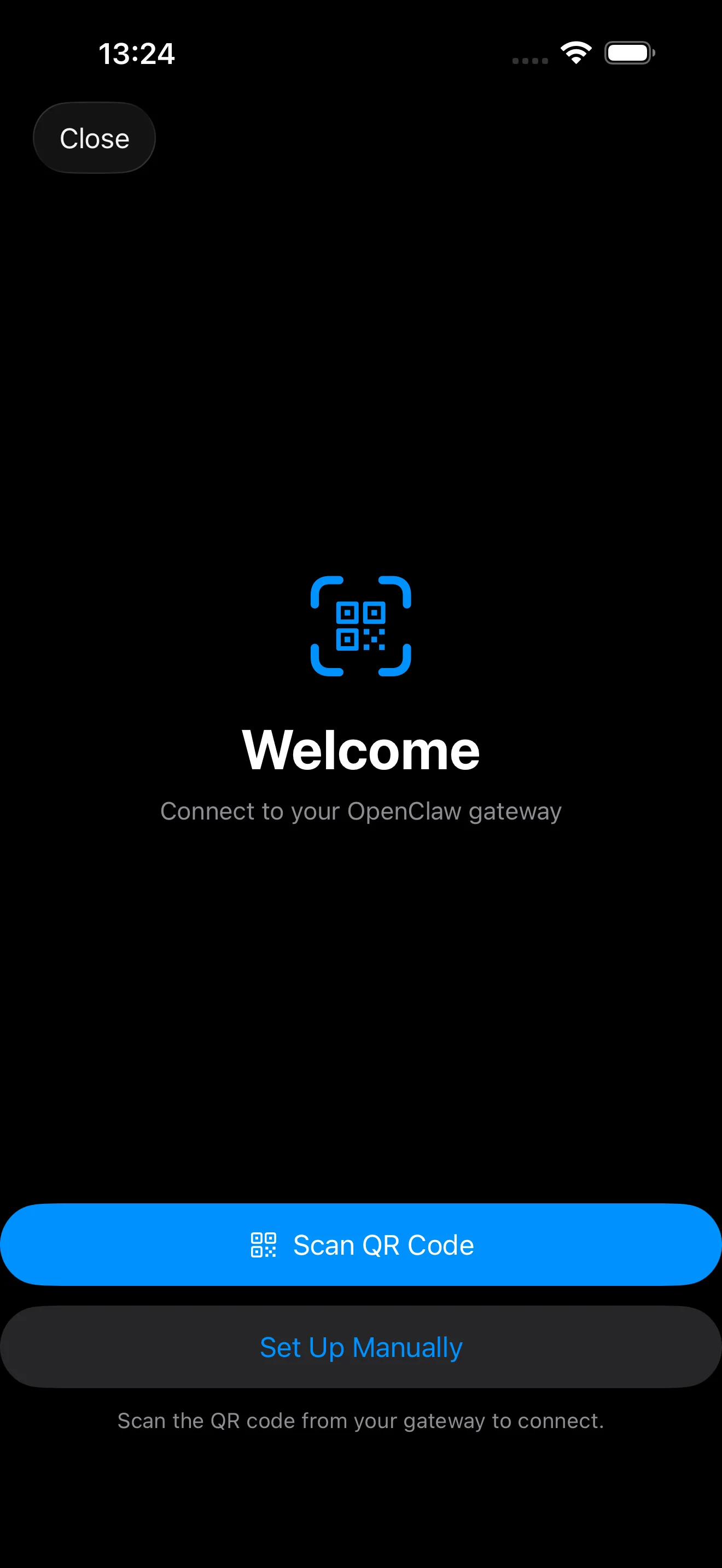
The current iPhone onboarding flow pairs directly from the device with QR or setup code. No remote-desktop hop into a home machine.
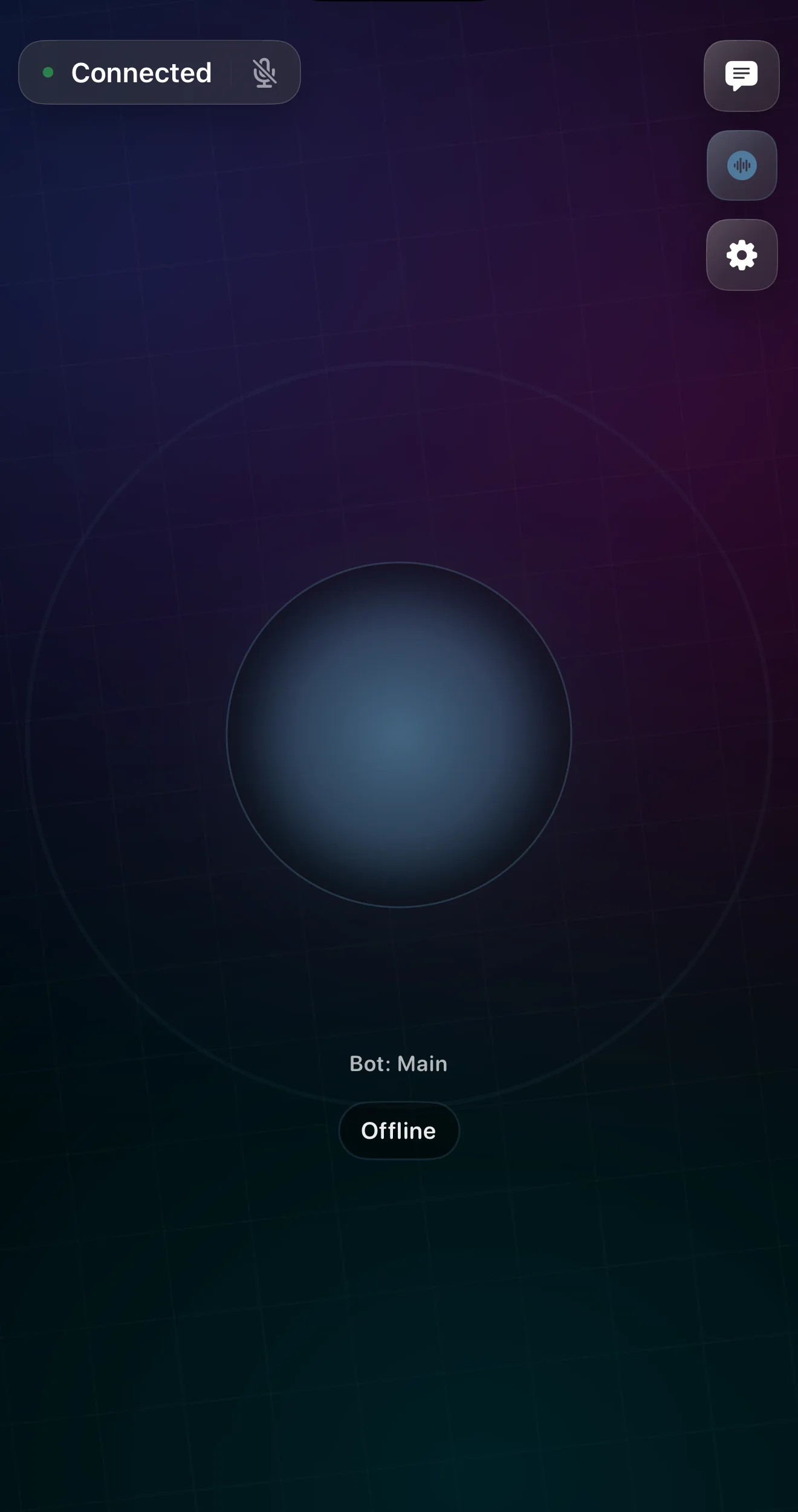
The current OpenClaw voice surface is shown inside Android hardware framing. We reuse a verified capture instead of inventing an unverified Android UI.
Why phone wins for personal AI
The strongest version of this product is not a home setup for power users. It is a phone-native assistant normal people can rely on every day.
Skip the Mac mini.
A personal AI assistant should not require a spare computer, a free shelf, power cables, and uptime anxiety. Install the app, connect your accounts, and go.
Life happens away from your desk.
The receipt, delay, message, calendar conflict, and shopping decision all happen while you are moving through the day. The assistant should already be in your hand when that happens.
One Telegram thread is not the product.
Phone-native sessions let inbox, travel, errands, family logistics, and approvals live in separate lanes so your context does not collapse into one long chat scroll.
A phone-native product beats a box at home.
A Mac mini running OpenClaw at home is a clever workaround. MobileClaw is trying to be the actual consumer product: simpler to adopt, easier to keep alive, and much better aligned with where your life already happens.
Install the app and connect your tools. No extra box, no remote desktop, no home-hosting ceremony.
Buy and place hardware, keep it powered, keep it online, and make room for one more thing to maintain.
It is already with you when a delay, message, receipt, or approval shows up.
The assistant is somewhere else. You reach for it later or remote into it from your phone.
Voice notes, camera, screenshots, links, files, push actions, and the phone share sheet.
Mostly chat or a remote computer. The best phone-native surfaces stay outside the product.
Dedicated lanes for inbox, travel, shopping, bills, and approvals with fast switching between them.
Context tends to collapse into one terminal, one remote browser, or one chat thread.
Approve from a notification, continue later, and stay moving.
Open the remote setup, recover context, then decide.
Feels like a consumer product people can use every day.
Feels like a clever power-user setup you have to keep alive.
Real OpenClaw phone captures, not invented mocks.
We removed the made-up session and approval sketches. The panels below use first-party OpenClaw mobile captures from the current app state, then place those verified surfaces into phone hardware so the page stays grounded in what exists.
The old dashboard/runtime card is gone because it did not match the current UI closely enough. The iPhone example uses a full current iOS screenshot. The Android examples use the same verified app surfaces inside Android hardware framing so we do not invent unverified Android chrome.
Read why we started with Android and local browser supportSetup on the phone itself
The current OpenClaw mobile build already has a real pairing flow. You scan a setup QR or connect manually from the phone instead of remoting into a Mac mini.
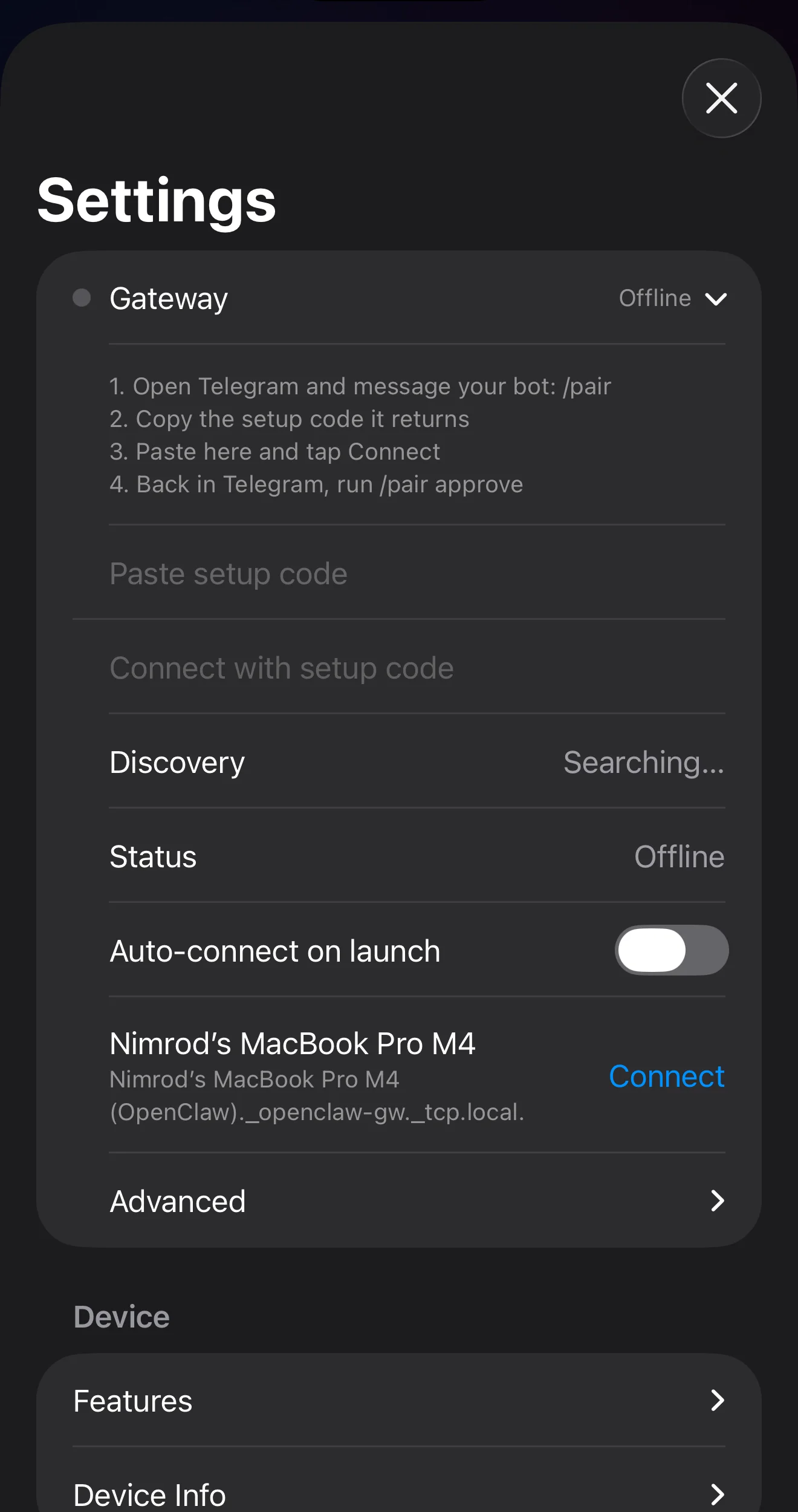
Gateway controls stay local
Discovery, status, auto-connect, and reconnect controls are their own surface. That is a product surface, not a chat workaround.
Voice has a dedicated tab
The mic-first flow is already its own screen. This is the direction that makes a phone-native OpenClaw product better than one endless Telegram thread.
One endless chat thread is the wrong interface.
Telegram is great as a transport layer. It is weak as the whole product when personal AI is juggling multiple domains at once. Phone-native UX lets each workstream stay separate, lets approvals remain visible, and makes it much easier to re-enter the right context fast.
Dedicated session stacks
Each domain keeps its own context. Travel stays travel. Inbox stays inbox. You can jump in and out without re-explaining yourself.
Approval inbox
The important asks sit in one place: send this, book this, buy this, wait on this. No need to hunt through chat history.
Background work that resurfaces correctly
The assistant can keep working while you do something else, then return only when there is a real decision or a finished result.
Fast re-entry from notifications
A push notification can drop you into the exact session and exact decision instead of dumping you into a generic conversation log.
What it should handle first
Start with the jobs people already try to manage from the phone and already hate doing manually.
Inbox without drag
Triage newsletters, draft replies, chase the right thread, and keep approval-worthy messages visible without living in email all day.
Calendar that moves itself
Coordinate availability, suggest times, reschedule conflicts, and handle the back-and-forth while you stay focused on the actual meeting.
Errands handled in motion
Compare products, follow up with support, manage returns, book a table, or sort out a bill while you are standing in line or walking outside.
Travel that stays under control
Track delays, find alternatives, monitor prices, and keep the approval step tight when a real decision needs your judgment.
Built for the phone, not shrunk onto it
The selling point is not just that it runs on a phone. It is that the product can use the surfaces phones are actually good at.
The assistant can ask for a yes or no at the moment it matters instead of waiting for you to remember later.
Speak a messy thought while driving, walking, or cooking and let the assistant turn it into organized work.
Receipts, labels, forms, products, and screenshots become input immediately instead of something you promise to handle tonight.
Links, PDFs, and files can be handed to the assistant from the app you are already using.
Move between active workstreams the way you already move between apps: quickly, visually, and without losing the plot.
High-impact actions get their own surface so they do not drown in conversation history.
How it works
Keep your judgment on the important moves and let the assistant handle the tedious setup work around them.
Start with whatever you have
A voice note, a screenshot, a forwarded email, a product link, a photo, or a short prompt. MobileClaw should accept real life, not only perfect prompts.
Let it work in the background
The assistant researches, drafts, compares, schedules, organizes, and prepares decisions while you keep moving through your day.
Approve what matters
You stay in charge of sends, bookings, payments, and sensitive changes. The assistant earns trust by doing the work and asking clearly.
Useful only if it stays controllable
Personal AI should not mean blind autonomy. The product earns trust by doing the prep well, asking clearly, and leaving a visible trail of what happened.
OpenClaw style, packaged for real life
The core philosophy is the same: AI should actually do things. The packaging is different. MobileClaw is about turning that philosophy into a phone-native consumer product instead of a home setup.
If you want OpenClaw without the home-lab setup, join the waitlist.
We are validating whether people want a phone-native personal AI assistant that is simpler to adopt, always with them, and better structured than a chat-only interface.
No spam. Just launch notes, early access, and a chance to shape the first version.